Merchant Onboarding
Complete the KYB (Know Your Business) verification process to access Onmeta's on-ramp and off-ramp solutions. This guide covers account registration and KYB submission.
Register and Login
- Navigate to the Onmeta Dashboard
- Register a new account or log in with existing credentials
For detailed account setup instructions, see Account Creation.
Start KYB Process
After logging in, locate the Complete KYB banner on the dashboard home page and click it to begin verification.
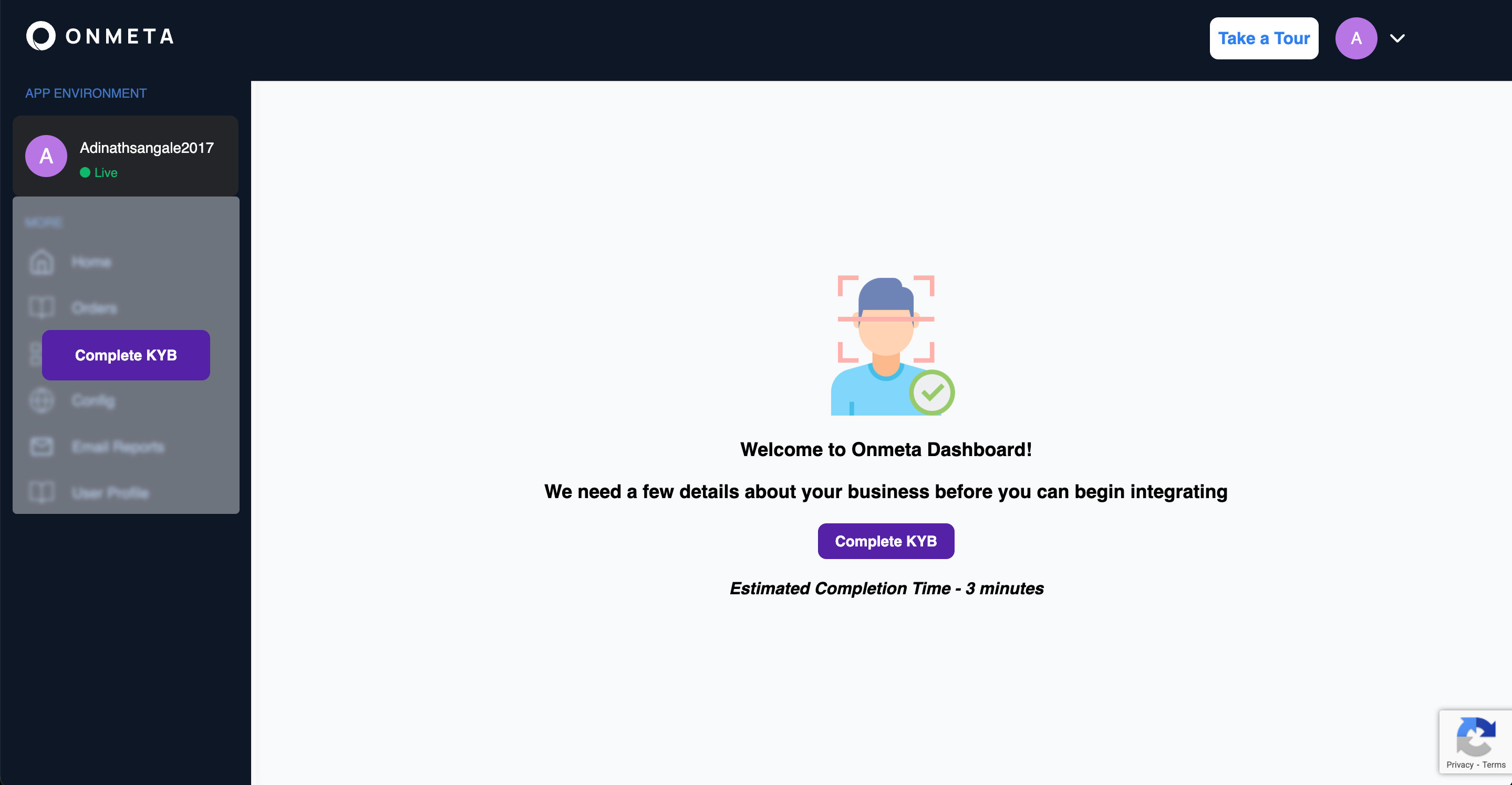
KYB Form Submission
Complete the KYB process in three steps:
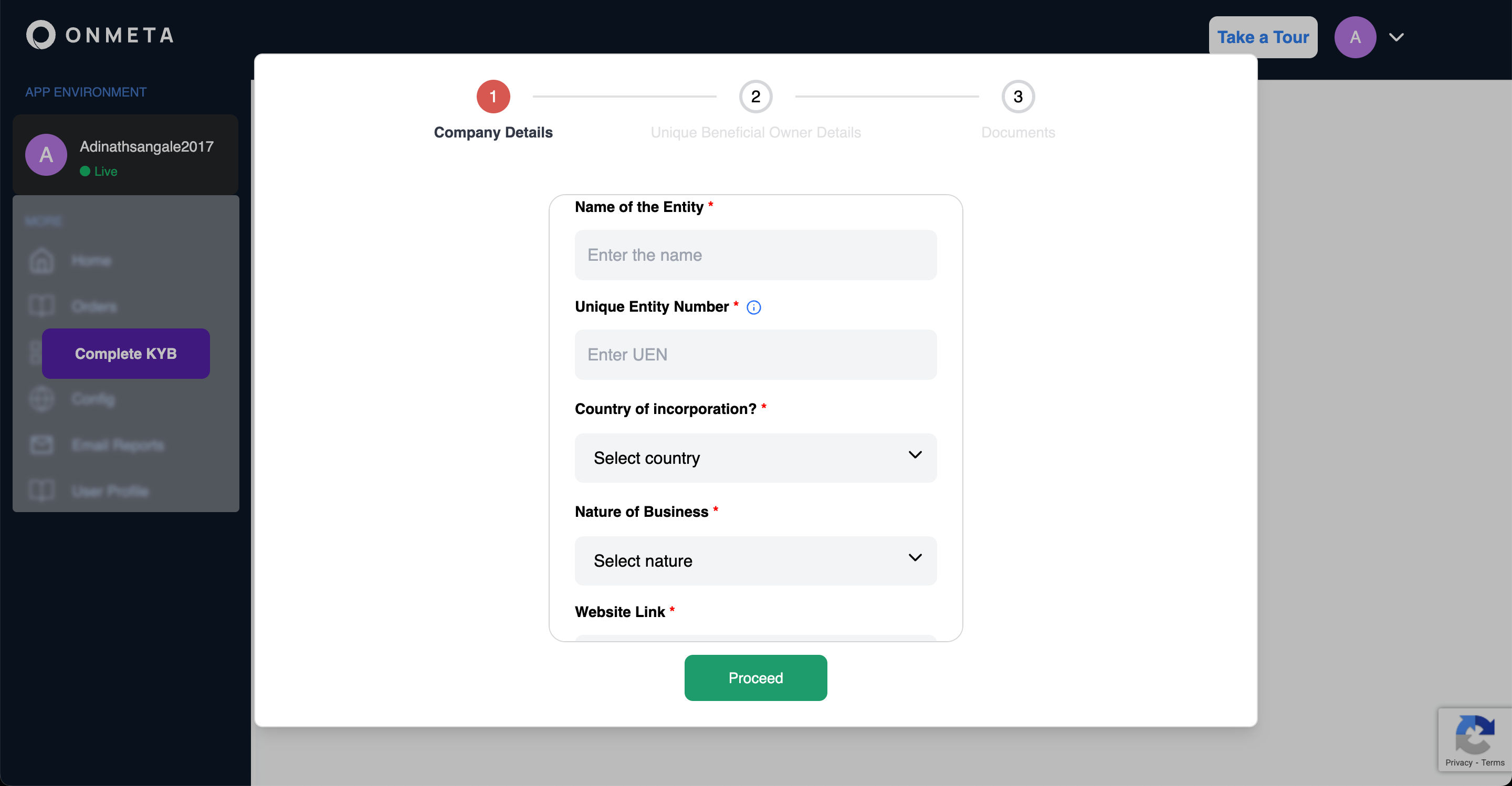
Step 1: Company Details
Provide the following company information:
- Entity name
- Unique entity number
- Country of incorporation
- Nature of business
- Website URL
Click Proceed to continue.
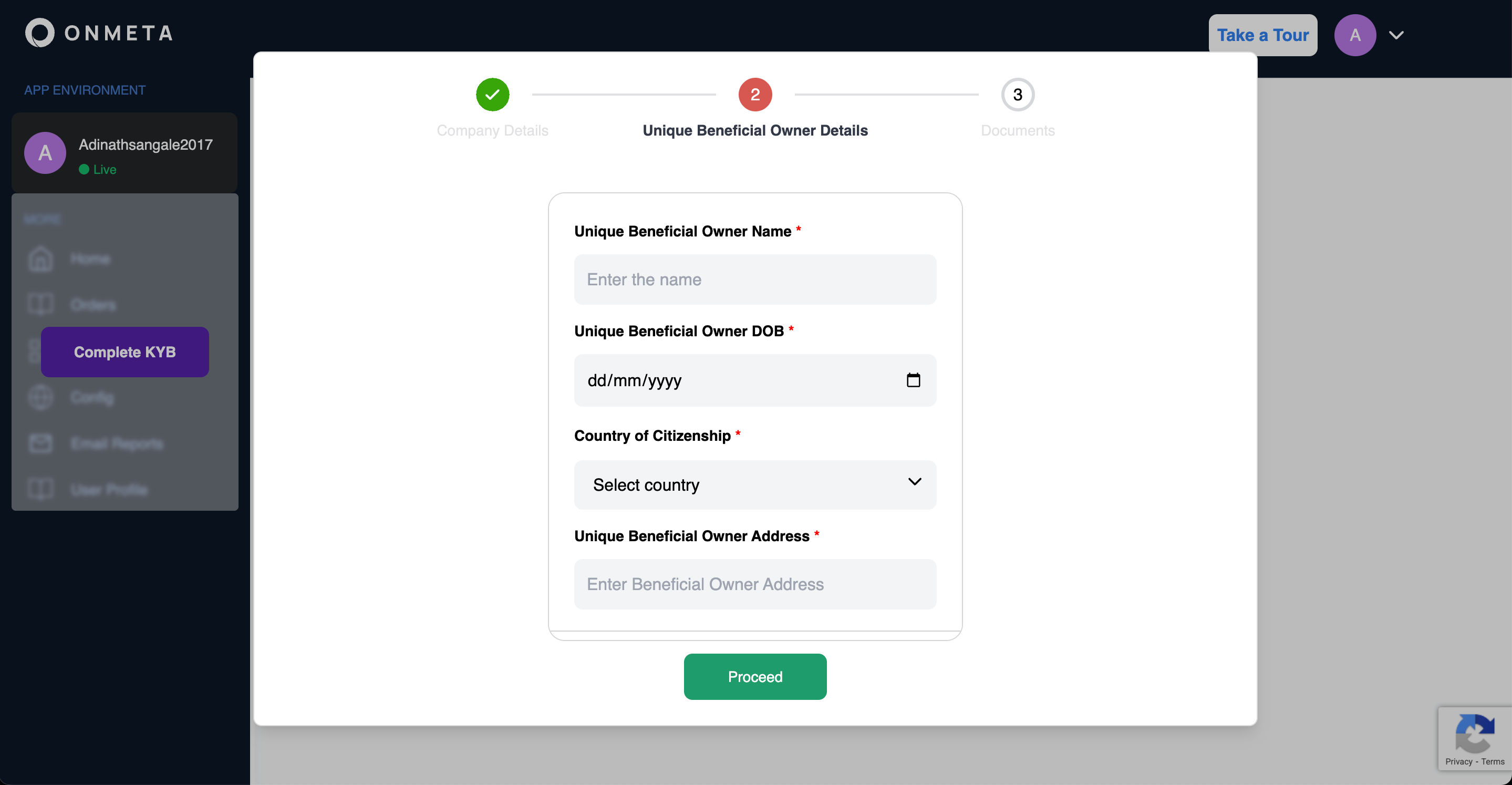
Step 2: Beneficial Owner Details
Enter information for the unique beneficial owner:
- Full name
- Date of birth
- Country of citizenship
- Residential address
Click Proceed to continue.
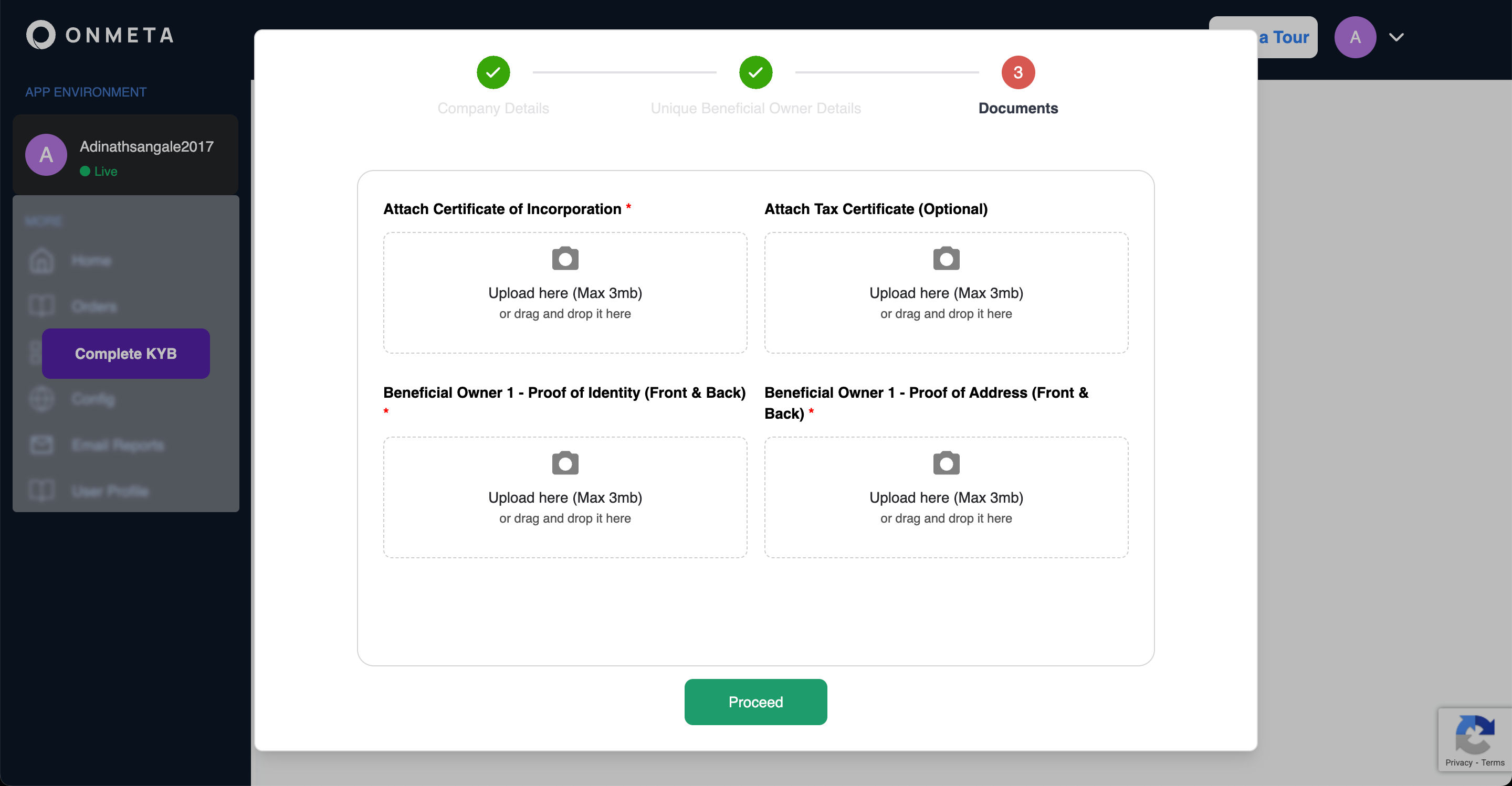
Step 3: Document Upload
Upload the following documents:
- Certificate of incorporation
- Tax certificate
- Beneficial owner proof of identity (front and back)
- Beneficial owner proof of address (front and back)
Click Submit to complete the KYB submission.
Review and Approval
After submission, Onmeta's compliance team reviews your KYB application. Approval typically takes 2-3 business days. You'll receive email notifications regarding the status of your application.
Next Steps
Once your KYB is approved:
- Widget Integration - Integrate the Onmeta Widget into your application
- API Integration - Build custom payment flows using our REST API